05 Rostering
Checklists
Three lists show what has changed since publication – shift exchanges, sick reports, overtime and time clock. You tick off what has been dealt with, for example sent to payroll.
- For
- Planner
In Manage Roster, open the lists with Swap, Sick and Time. Each list has its own month tabs.
Tick off
In the PROC column, you tick off an entry as done. The row disappears after two seconds and, after reloading, appears ticked off at the end of the list. Ticking off cannot be undone; it is purely a working marker and does not change any data.
Swap – shift exchanges
All accepted exchanges involving a shift of this unit – from the previous month to two months ahead.
| Column | Content |
|---|---|
| Filed | Date of acceptance |
| Who | who requested the exchange |
| Gives away ⇄ Takes over | both shifts with dates |
| From | exchange partner |
Exchanges do not need approval. The list is for checking. If it is empty: Nothing to check for …
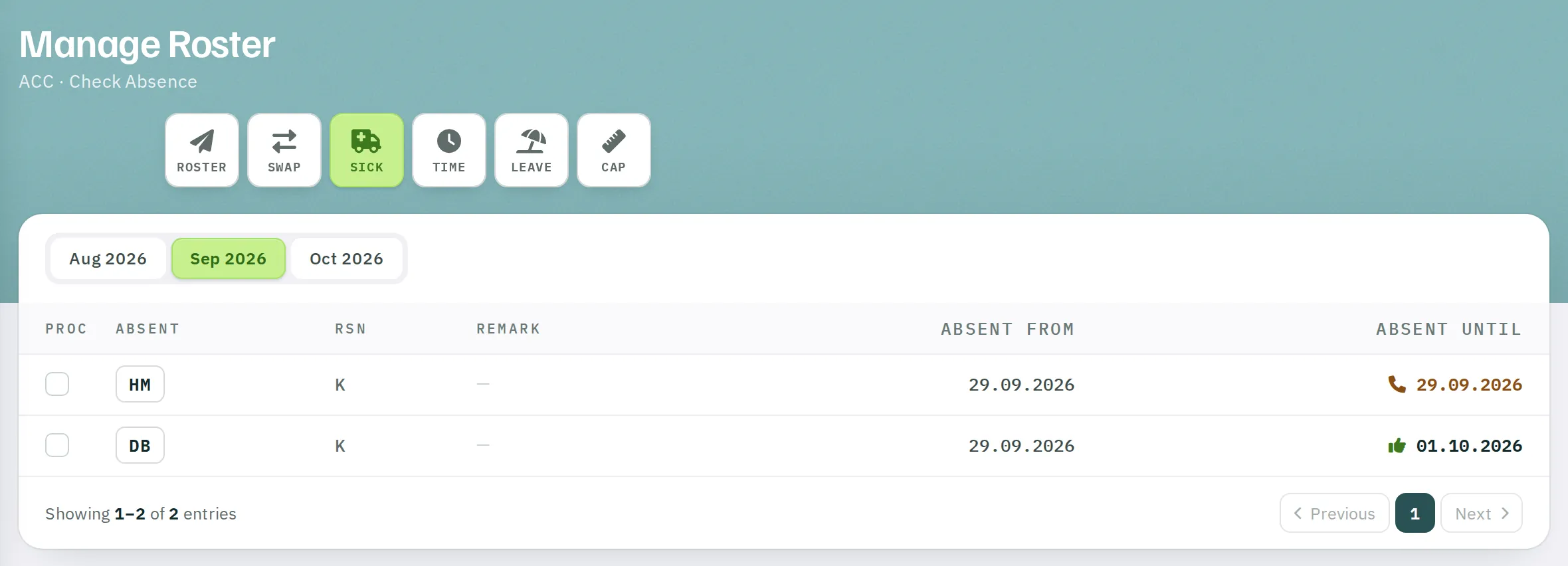
Sick – short-notice absences
All absences recorded by supervisors – from the previous month to the following month.
| Column | Content |
|---|---|
| Absent, RSN | Person and reason |
| Remark | Supervisor's free text |
| Absent from, Absent until | Period; if open-ended, the phone icon with the next call-back date |
Time – overtime and time clock
All overtime and time clock differences – from the previous month to the following month, searchable.
| Column | Overtime | Time clock |
|---|---|---|
| DATE, INITIAL | Day and person | Day and person |
| TC Δ | Shift code or hours | Difference, negative values marked |
| CLOCK IN, CLOCK OUT | Start and end | Clocked times |
| BREAK | – | Extended break |
| REMARK | Remark | Remark |
Closing the month
- In the following month, select the previous month.
- Go through
Timeand tick off the entries, thenSwapandSick. - Archive and print
T/A.