05 Rostering
Position plan
The position plan defines which position must be staffed at what time – per weekday, in the unit's grid, valid for one season.
- For
- Planner
Rostify derives the optimal pattern from the position plan, and the OPS schedule shows it as the daily demand. Create the positions first.
The list
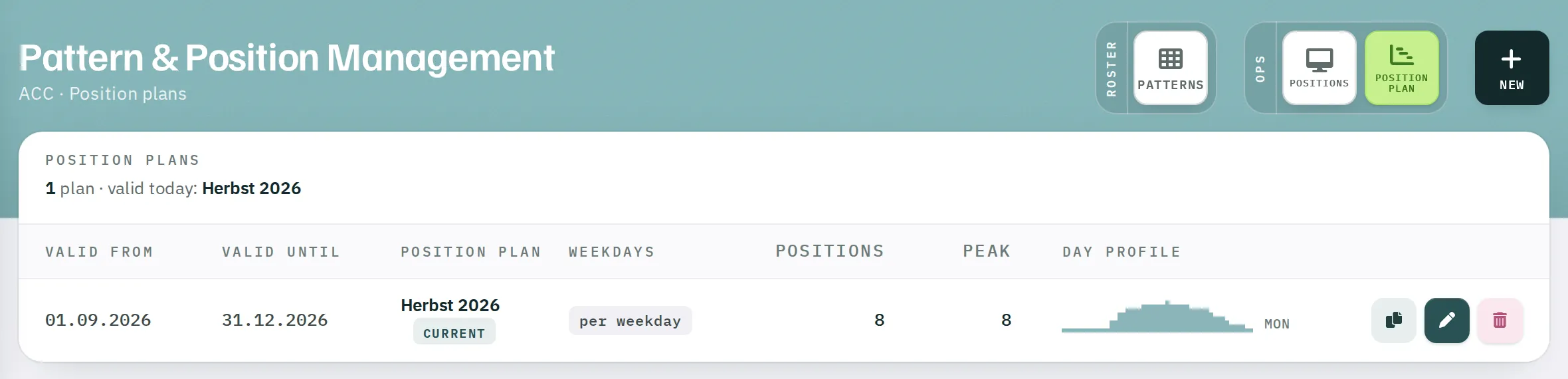
Manage Patterns → Position plan shows all plans of the unit with their validity, weekday mode (per weekday or alle gleich – all the same), number of positions, Peak (the highest number of positions staffed at the same time) and a small Day profile. The plan that applies today is marked Current.
| Action | Effect |
|---|---|
| Clone | Copy with a new name and a new period – the quickest way to the next season. |
| Edit | Opens the editor. |
| Delete | Removes the plan. |
Creating a plan
- Click
Newor New position plan. - Name – for example Autumn 2026.
- Valid from and Valid until.
- If every day is to be the same, tick Alle Wochentage gleich (all weekdays the same). Otherwise you plan each weekday separately.
- Draw the demand (see below).
- Click
Plan speichern(save plan).
At the top right, the editor shows the unit's Raster (grid: 15, 30 or 60 minutes), the number of Positions and the Peak.
Drawing
The rows are the positions, the columns the time of day from 00 to 24. At the bottom, the Staffed row shows how many positions are open at any time.
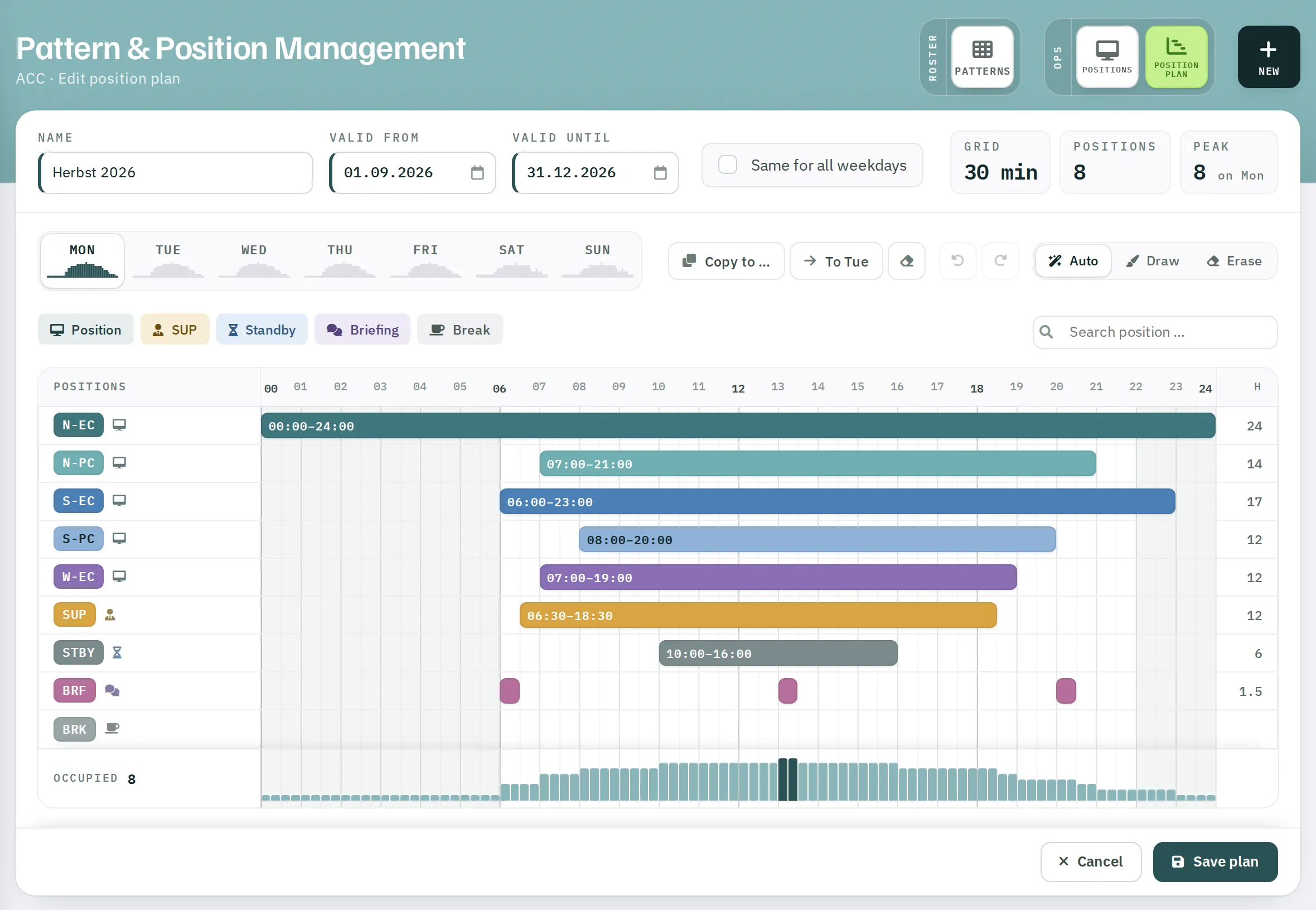
- Drag with mouse, pen or finger to mark a rectangle across positions and time.
- Auto mode: if you start on an empty cell, the area is filled; if you start on a filled cell, it is cleared.
- Zeichnen (draw) mode always fills, Radieren (erase) always clears.
- The buttons at the start of each row fill the whole day or clear the row.
↶and↷– or Ctrl/⌘+Z and Ctrl/⌘+Shift+Z – undo and redo.
Use the filters by kind (Position, SUP, Standby, Briefing, Break) and the search field to hide rows. The entries are kept.
Weekdays
| Control | Effect |
|---|---|
| Tabs Mon … Sun or keys 1–7 | Switch weekday |
Kopieren nach … (copy to …) |
Copy the current day to other days – individually, Mon–Fri, Sat–Sun or all |
Nach Di (to Tue – the following day) |
Copy the day to the next one and switch to it |
Tag leeren (clear day) |
Clear the whole day |
If you later switch to Alle Wochentage gleich, Rostify asks which day should apply to all. The others are overwritten.
The editor shows unsaved changes as Ungespeicherte Änderungen (unsaved changes). If you try to leave the page, you are warned.